
CopySync
Copy out to the people with words, back in without retyping. Free to install; Pro is $4.99/month.
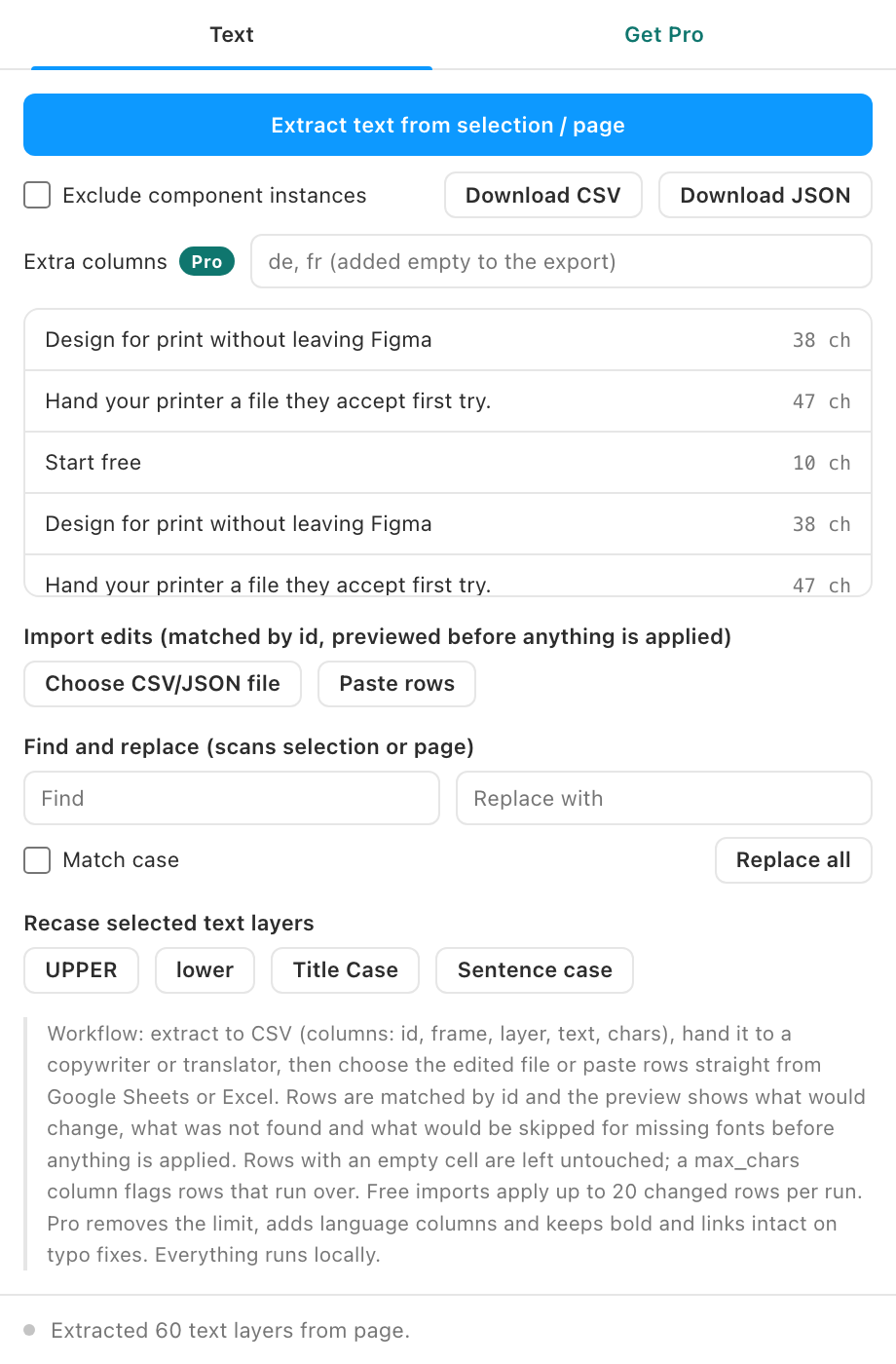
Copywriters and translators do not work in Figma. CopySync round-trips every text layer through CSV or JSON so the words come back without a single paste.
Free vs Pro
- Name
Free, forever- Type
- no account needed
- Description
Extracting every text layer to CSV or JSON, excluding component instances, paste import from Sheets or Excel, an import preview that reports matched, changed, missing and font-skipped rows before anything is written, find and replace, recase, and imports of up to 20 changed rows per run.
- Name
Pro- Type
- $4.99/month
- Description
Unlimited import, extra language columns in one CSV with a column picker on import, and style-preserving import that keeps bold, links and mixed styles.
Prove the round trip for free on a small batch; the full workflow is Pro. Buy from the plugin's Get Pro tab, paste the license key that arrives by email, and the locked features unlock on up to 3 devices. See Pricing for how subscriptions, devices and cancelling work.
What it does
- Extract everything. Every text layer in the selection or page, with its frame, layer name, and a stable id.
- CSV and JSON. CSV opens straight in Excel and Google Sheets; JSON suits scripts and TMS pipelines.
- Import by id. Edited files come back matched by layer id, with a preview of what will change first. Only changed rows touch your file; up to 20 per run free, unlimited with Pro.
- Languages and styles (Pro). Add language columns to one CSV and pick which to apply; partial edits keep bold, links and mixed styles.
- Find and replace. Across the whole page or selection, with case sensitivity.
- Font-safe updates. All fonts in each layer load before writing; layers with missing fonts are skipped and counted, never corrupted.
How to use it
- Extract. Select frames and export the CSV. Columns: id, frame, layer, text. Hand it to whoever owns the words.
- Edit anywhere. They edit the text column in any spreadsheet. The id column is the only thing that must survive.
- Import. Load the file back, or paste rows from Sheets. CopySync diffs against the current text and applies only real changes.
Guides
- Quickstart: install and get your first result in two minutes.
- Feature guide: every control explained, and the rules the plugin follows.
- Pro features: what Pro unlocks and how the gate works.
- Troubleshooting: what to check when a result looks wrong.
Install
Figma desktop app
> Plugins > Development > Import plugin from manifest...
> select copy-sync/manifest.json
FAQ
What about mixed styles inside one layer?
The whole layer's characters are replaced, so per-range styling collapses to the layer default. Keep styled runs as separate layers if that matters.
Localization?
Duplicate your page per language, extract each, and send per-language CSVs. Import matches per page.