FrameLoop quickstart
Select the frames, preview, export. A GIF of up to 30 frames is free, so you can see the result before you pay anything.
Install the plugin
When FrameLoop is published, open it on the Figma Community and click Install. Until then it is not yet available.
Once installed:
- Open any Figma or FigJam file.
- Run it from Plugins > FrameLoop, or press Cmd/Ctrl + / and type "FrameLoop".
Your first GIF
- Make the frames. One frame per step of the animation, ideally all the same size. Name them so they sort: "Step 1", "Step 2", "Step 10".
- Select the frames. The first line of the plugin shows how many are selected.
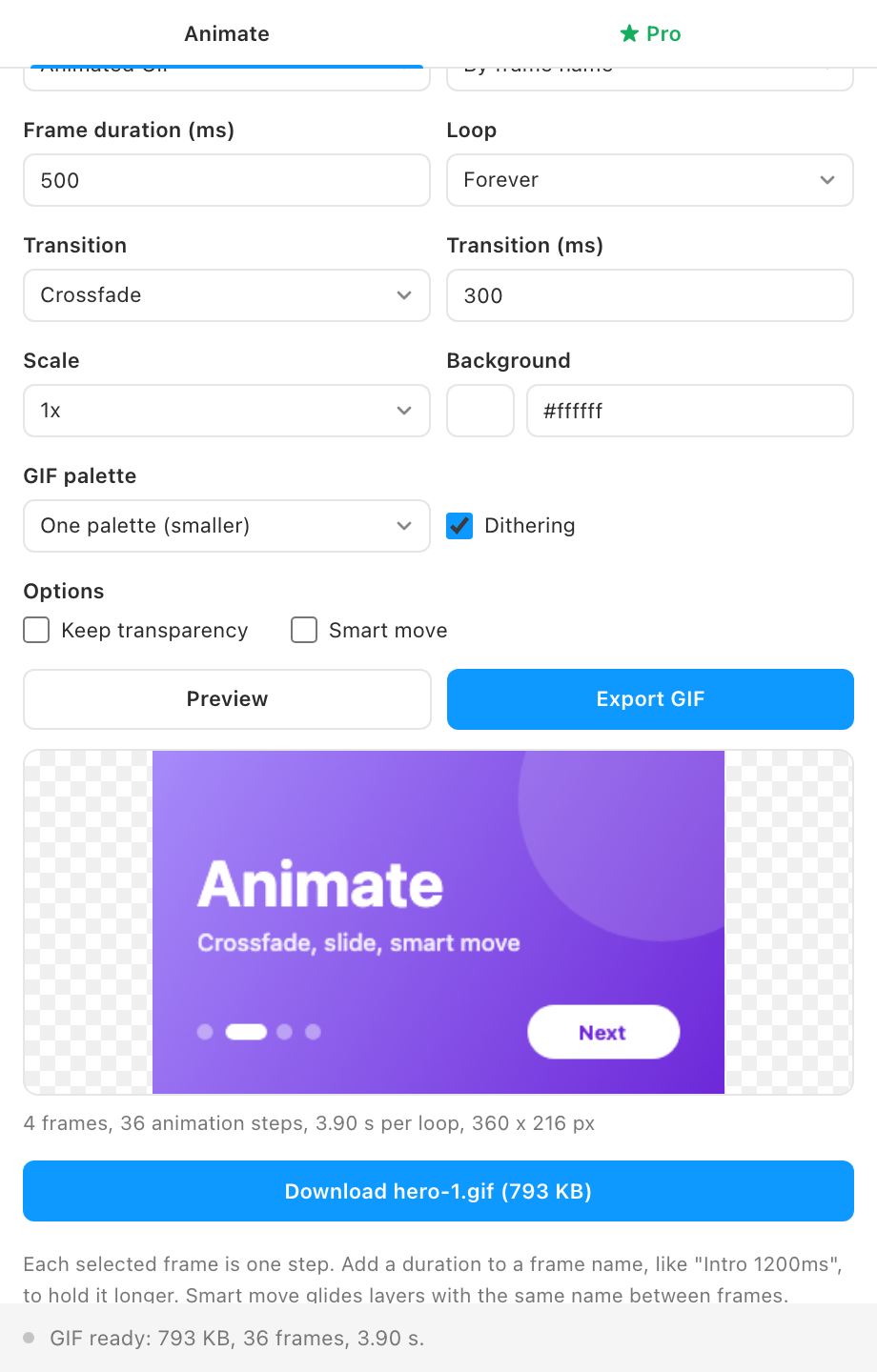
- Set the timing. Frame duration is how long each frame holds, 500 ms by default. To hold one frame longer, end its name with a duration, for example "Step 2 1200ms".
- Pick a transition. Crossfade with 300 ms is the default. Choose Cut for a flip-book feel.
- Press Preview. The animation plays in the plugin and follows every setting you change.
- Press Export GIF. When encoding finishes, the Download button shows the file name and size. Click it to save the file.