
SpecMark
Redlines drawn right on the canvas for developer handoff, and redrawn with one click when the design changes. Free to install; Pro is $9 one-time.
SpecMark is in final testing and will be on the Figma Community soon. This page documents the first release.
Guides
- Quickstart: install and draw your first redlines in two minutes.
- Feature guide: every button and option explained, and the rules the plugin follows.
- Pro features: what Pro unlocks and how the gate works.
- Troubleshooting: what to check when a redline is missing or wrong.
Free vs Pro
- Name
Free, forever- Type
- no account needed
- Description
Size, distance, and padding and gap redlines for the selection, Update all, Clear for the selection or the page, and the style options: color, label size, px or rem units and decimals.
- Name
Pro- Type
- $9 one-time
- Description
Spec a whole frame or every frame on the page, the spacing scale audit with custom scales, specs label cards, spec sheets with a legend, and saved styles.
Pro is a one-time purchase with no subscription. Buy from the plugin's Get Pro tab, paste the license key that arrives by email, and Pro unlocks on up to 3 devices. See Pro and licensing for how keys and devices work.
What it does
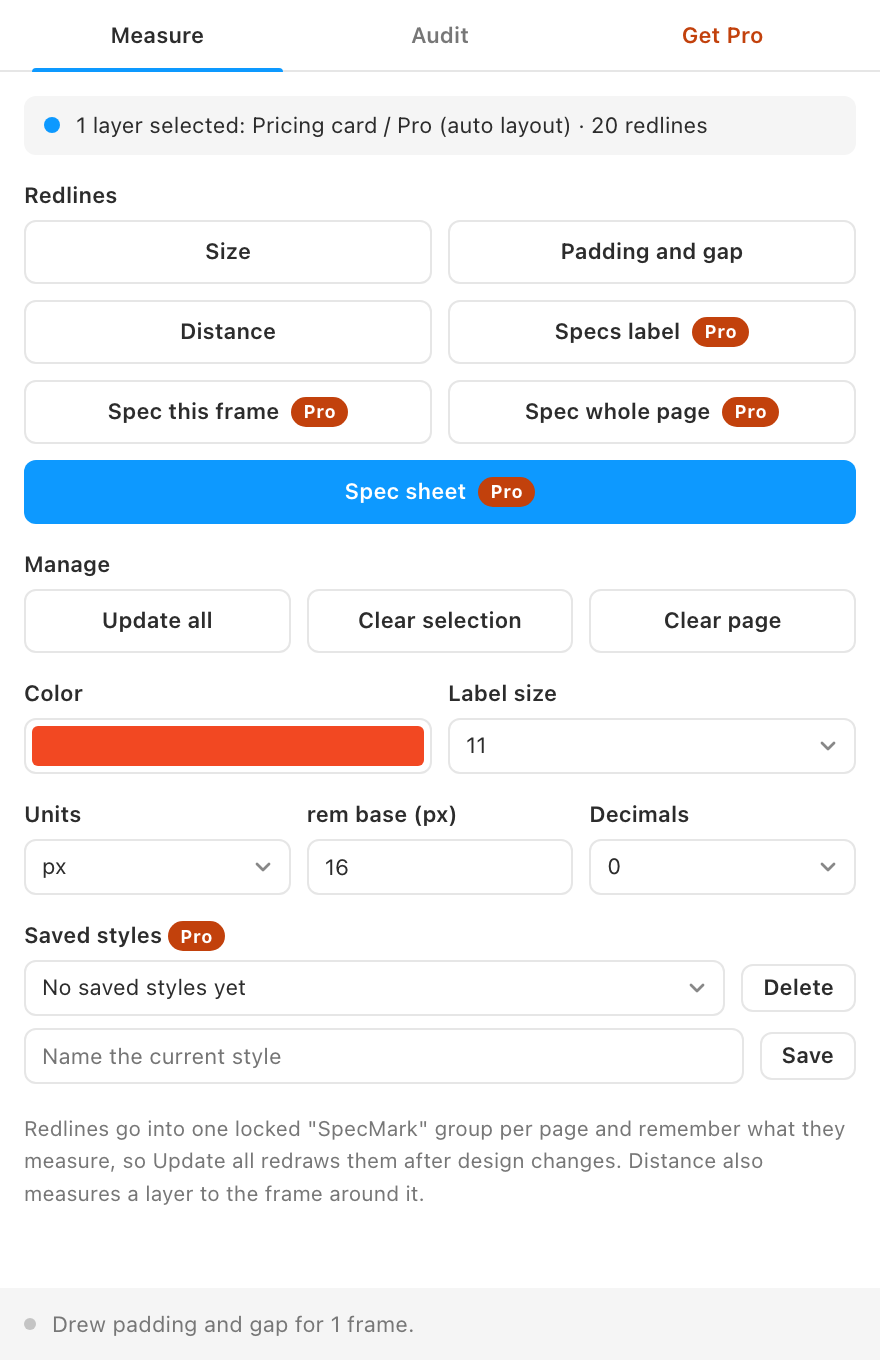
- Size. Width and height dimension lines with tick ends and labels, for every selected layer.
- Padding and gap. An auto layout frame's four paddings and the spacing between its items, drawn as tinted bands with labels.
- Distance. The horizontal and vertical gaps between two layers. When one layer sits inside the other, the four distances to the outer edges.
- Annotations that stay current. Every redline lives in one locked "SpecMark" group per page and remembers what it measures, so Update all re-measures everything after design changes.
- Units for developers. Labels in px or rem with your base size, with 0 to 2 decimals.
- Spacing audit (Pro). Checks paddings, gaps and the spacing between layers against a 4 or 8 point grid or your own scale, and suggests the nearest on-scale value.
- Specs labels and spec sheets (Pro). A card with a layer's fill, font, size, line height, radius and effects, or a copy of a frame on a new frame with all redlines and a legend.
How to use it
- Select what to measure. One layer for size, an auto layout frame for padding and gap, or two layers for distance.
- Click the redline you want. The annotation appears on the canvas in your chosen color.
- Change the design, then click Update all. Every redline is measured again. Use Clear selection or Clear page to remove them.
FAQ
Can developers click on the redlines?
No. The SpecMark group is locked so redlines never get in the way while you design. Developers read them in view mode or Dev Mode like any other layer, and you can unlock the group in the layers panel if you need to.
Do redlines change my design?
No. Redlines are new layers in their own group. SpecMark never moves, resizes or edits the layers it measures.
Why are labels shown in rem with three decimals?
So small values stay readable: 2px reads as 0.125rem instead of rounding to 0. Choose px if you prefer whole pixels.