
Favicon Forge
The whole favicon folder from one Figma layer. Completely free.
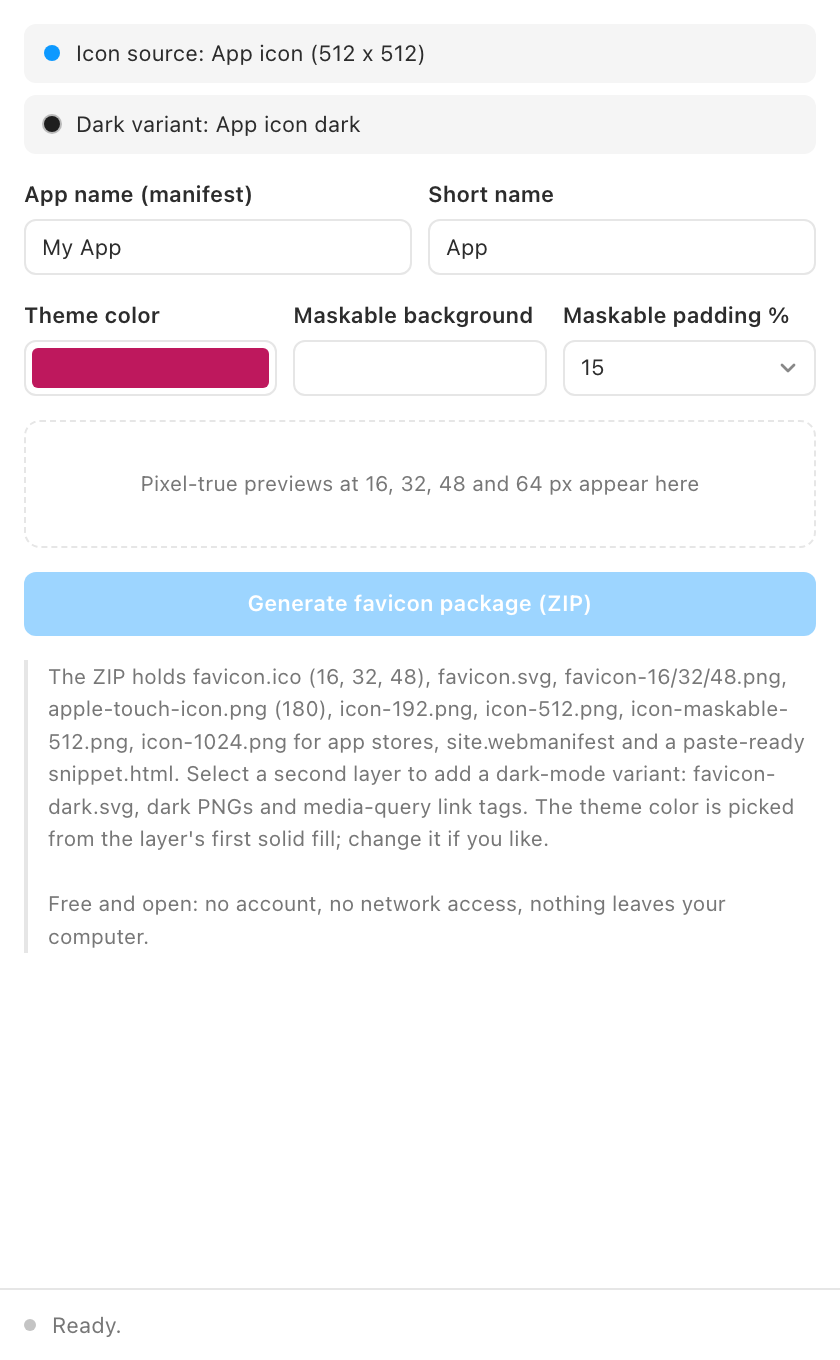
Every site needs the same seven files and nobody remembers the recipe. Favicon Forge renders them all from one selected layer and zips them with the HTML to paste.
Completely free
Favicon Forge has no Pro tier, no account and no network access at all. The manifest forbids network requests and Figma enforces that at runtime, so your artwork never leaves your computer. It is the suite's gift to the web: install it, make your favicon folder, and if you like how it works have a look at the other plugins.
What it does
- Real favicon.ico and favicon.svg. A proper multi-size ICO (16, 32, 48) with full alpha, encoded from scratch for maximum Windows compatibility.
- Apple, PWA and store icons. PNGs at 16, 32, 48, 180, 192, 512 and 1024.
- Maskable icon. A padded, background-filled 512 icon that survives Android's circular masks.
- Dark-mode variant. Select a second layer and it becomes the dark icon, with media-query link tags added for you.
- site.webmanifest. Name, short name, theme color, and icon entries filled in from the form.
- Paste-ready snippet. The link and meta tags your head section needs.
How to use it
- Select the icon. One layer or frame, ideally square. It renders at up to 1024 px and downscales in halving steps for crisp small sizes.
- Set the details. App name, short name, theme color (picked from your layer, editable), and the maskable padding (15% suits most marks). The browser-tab mockup shows the 16 px icon in a light and a dark tab.
- Generate. One ZIP with everything. Drop it in your site root and paste the snippet.
Guides
- Quickstart: from one layer to a ZIP in two minutes.
- Troubleshooting: blurry small sizes, transparency, the maskable safe zone, dark variants.
Install
Figma desktop app
> Plugins > Development > Import plugin from manifest...
> select favicon-forge/manifest.json
FAQ
Why BMP entries inside the ICO?
Old Windows code paths still mishandle PNG-in-ICO at small sizes. BMP entries with alpha work everywhere.
My icon looks blurry at 16 px.
Every icon does; that is 256 pixels total. Simplify the mark: bold shapes, no thin strokes. The preview row shows exactly what users get.