
ScanReady
QR codes and barcodes drawn as real vectors in your file, made entirely on your machine, and editable later. Free to install; Pro is $5 one-time.
ScanReady is in final testing and will be on the Figma Community soon. This page documents the first release.
Guides
- Quickstart: install and place your first QR code in two minutes.
- Feature guide: every content type, style option and barcode explained, and the rules the plugin follows.
- Pro features: what Pro unlocks and how the gate works.
- Troubleshooting: what to check when a code will not build or will not scan.
Free vs Pro
- Name
Free, forever- Type
- no account needed
- Description
Single QR codes for URLs, text, Wi-Fi, contacts (vCard), email, phone and SMS; every style option; logo cutouts; edit in place; Code 128 and EAN-13 barcodes.
- Name
Pro- Type
- $5 one-time
- Description
Batch codes from a list or CSV in a labelled grid, writing codes into frames, swapping a URL across the page, EPC payment codes, UPC-A and ITF-14 barcodes, and print preflight.
Pro is a one-time purchase with no subscription. Buy from the plugin's Get Pro tab, paste the license key that arrives by email, and Pro unlocks on up to 3 devices. See Pro and licensing for how keys and devices work.
What it does
- Native vectors. Each code is a frame named after its content, with the modules merged into one vector path and the corner markers in a second. Recolor, resize or export it like any other layer.
- Every common payload. URL, text, Wi-Fi network, vCard 3.0 contact, email with subject and body, phone, SMS, and EPC SEPA payments (Pro), with the escaping each format needs.
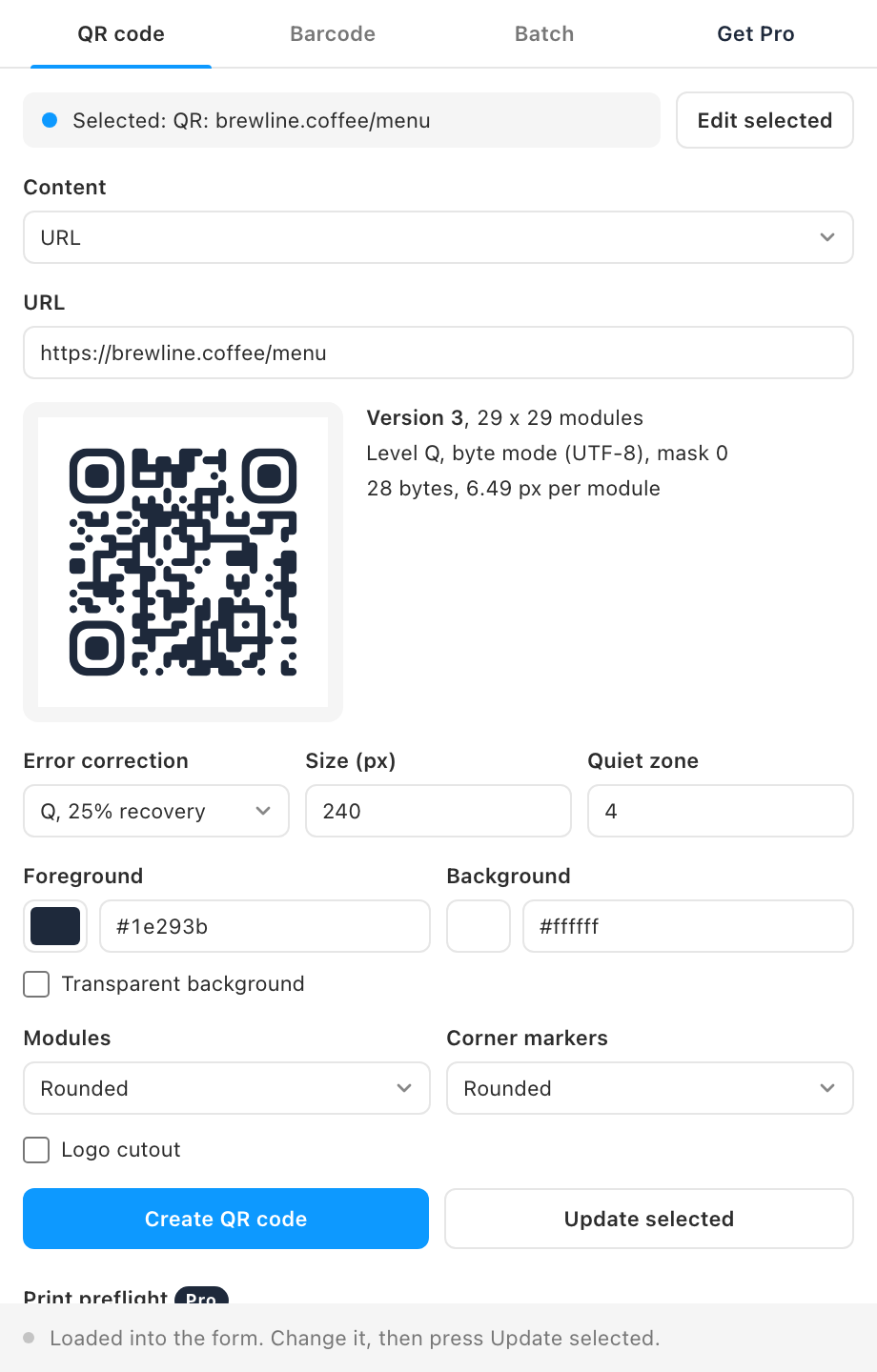
- Styling that still scans. Foreground and background colors, a transparent background, square, rounded or dot modules, square or rounded corner markers, a quiet zone in modules and a size in px. A note appears when the contrast is too low or the colors are inverted.
- Logo cutout. A clear square in the center with an empty "Logo area" frame for your logo. Error correction switches to H automatically, and you are warned when the cutout removes more than 20 percent of the modules.
- Edit in place. ScanReady stores the content and options on the frame. Select it later, press Edit selected, change anything and Update selected: the code is redrawn where it is, at the same size, in the same parent.
- Barcodes. Code 128 and EAN-13 free, UPC-A and ITF-14 with Pro, with human-readable digits in Inter Regular and check digits computed or validated.
- Local by design. The encoders run inside the plugin. Your content never leaves Figma.
How to use it
- Pick the content type and fill in the fields. The preview updates as you type, with the QR version and module count.
- Style it. Colors, module shape, corner markers, size, quiet zone and an optional logo cutout.
- Click Create QR code. The code lands in the middle of your view as a vector frame. To change it later, select it and press Edit selected.
FAQ
Do the codes depend on an online service?
No. Encoding happens inside the plugin, and the codes are static vectors. They work for as long as the content they hold (a URL, a Wi-Fi password) stays valid.
Can I change the colors after creating a code?
Yes. Change the fills directly in Figma, or use Edit selected and Update selected so the stored options match. Keep the modules darker than the background.
Which error correction level should I use?
M suits most codes. Use Q or H when the code will be printed on rough surfaces or carry a logo; ScanReady sets H for you when the logo cutout is on. Higher levels make the code denser.