
TypeLadder quickstart
Choose a base size and a ratio, pick your fonts, create the styles. Everything in this quickstart is free.
Install the plugin
- When TypeLadder is published, open it on the Figma Community and click Install. Until then it is not yet available.
- Open any Figma design file.
- Run it from Plugins > TypeLadder, or press Cmd/Ctrl + / and type "TypeLadder".
Your first scale
- Set the base size. 16 px is the usual body size on the web.
- Choose a ratio. Major third (1.25) is a balanced default; smaller ratios suit dense product UI, larger ones suit editorial pages.
- Set the steps. For example 2 below the base and 6 above.
- Pick names. xs to 5xl, or caption, body and h6 to h1.
- Pick fonts. Type a family in the Headings and Body fields; the list suggests the fonts available in Figma. Then pick a weight for each.
- Check the preview list, then click Create text styles.
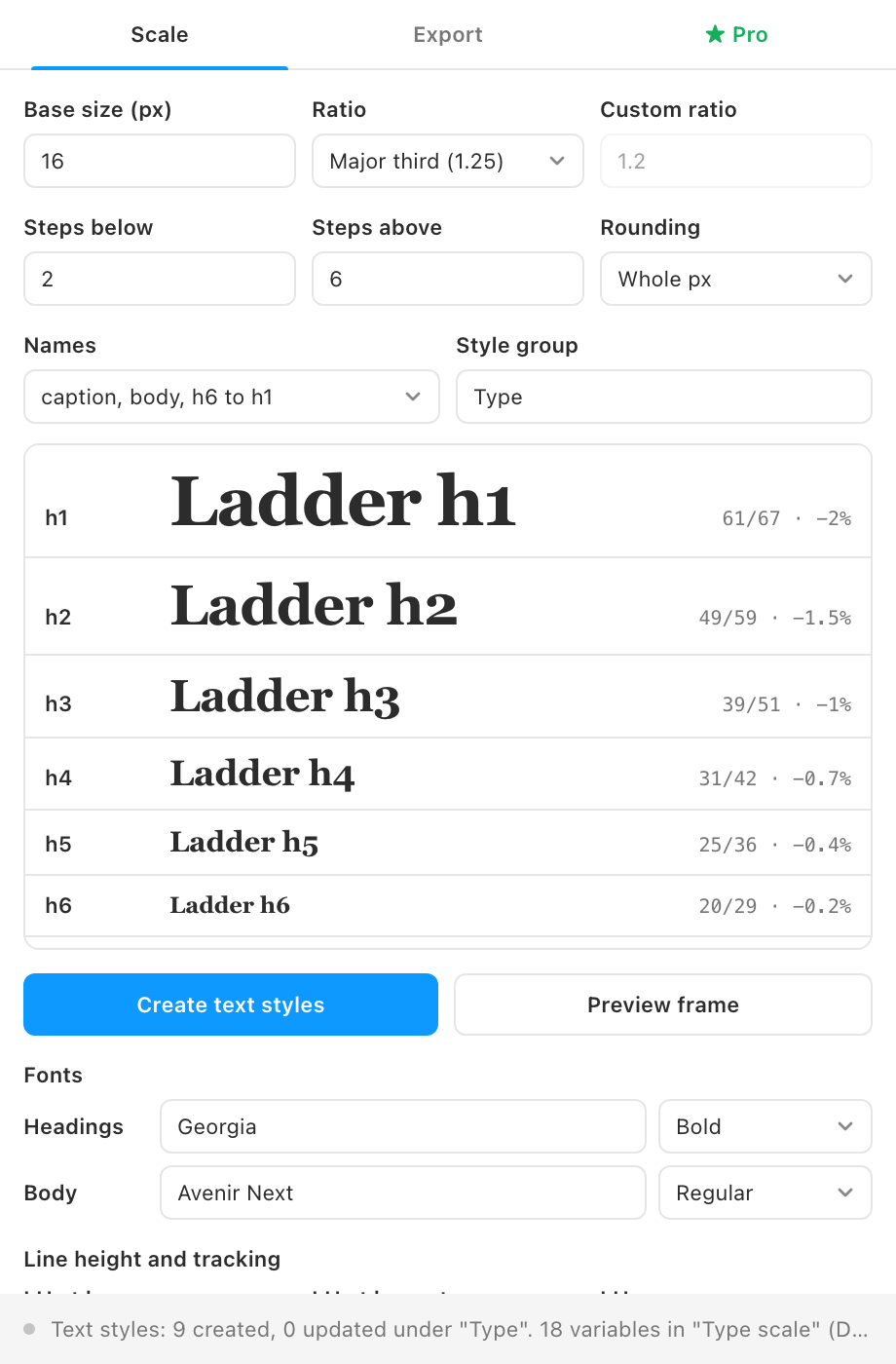
The status bar reports how many styles were created and updated. They appear under Local styles in a group named "Type". Click Preview frame to place a specimen of the whole scale in the middle of your view.