
TypeLadder
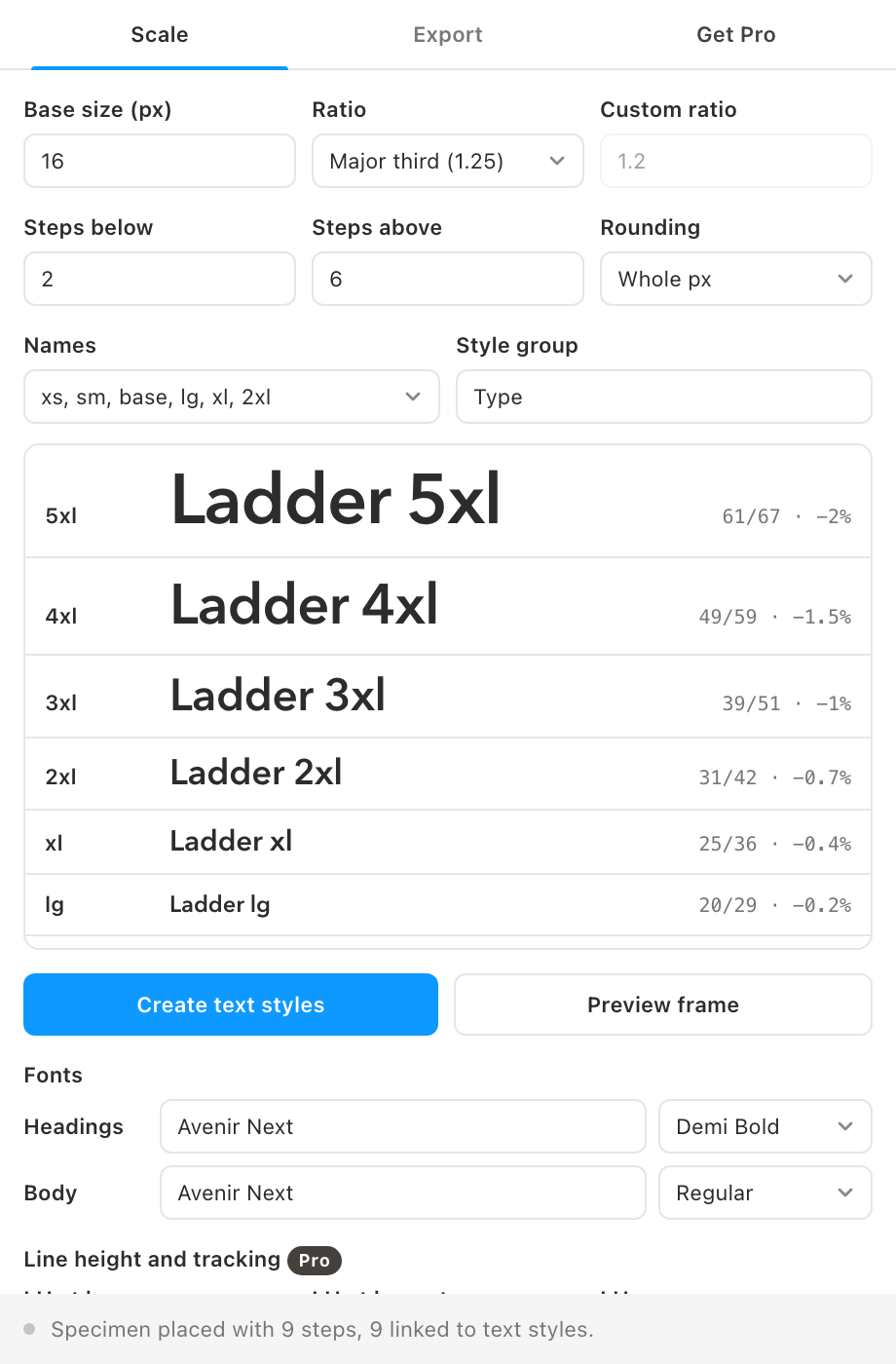
Pick a base size and a ratio and TypeLadder builds the whole type scale, with sensible line heights and tracking, then writes it as Figma text styles. Free to install; Pro is a $5 one-time purchase.
TypeLadder is in final testing and will be on the Figma Community soon. This page documents the first release.
Guides
- Quickstart: install and write your first set of text styles in two minutes.
- Feature guide: every control explained, and the rules behind sizes, line heights and tracking.
- Pro features: responsive variables, custom rules, CSS and Tailwind export, presets.
- Troubleshooting: fonts, styles and variables that do not behave.
Free vs Pro
- Name
Free, forever- Type
- no account needed
- Description
The scale generator with eight ratio presets or a custom ratio, steps below and above the base, rounding, four naming schemes, heading and body fonts, the live preview, creating text styles and the specimen frame.
- Name
Pro- Type
- $5 one-time
- Description
A mobile scale as number variables with Desktop and Mobile modes bound to your styles, your own line-height and tracking rules, CSS custom properties and fluid clamp() export, Tailwind export and saved presets. No subscription.
What it does
- Modular scale. Every size is the base times the ratio to the power of its step, from minor second (1.067) to golden ratio (1.618), or your own ratio.
- Clean numbers. Round to whole pixels, half pixels or two decimals. Sizes that would collide after rounding are nudged apart, so the scale always climbs.
- Names you already use. xs, sm, base, lg, xl, 2xl; caption, body, h6 to h1; step-0 style; or your own list.
- Typographic rules built in. Line height tightens from 1.5 at the base to 1.1 at the largest size, and large sizes get slightly negative tracking.
- Real text styles. Styles land under a group such as "Type/xl" and are updated in place when you run it again.
- A specimen on the canvas. One click places a frame showing every step with its size, line height and tracking.
How to use it
- Set the scale. Base size, ratio, how many steps below and above the base, and rounding.
- Pick names and fonts. Choose a naming scheme, then a family and weight for headings and for body text.
- Write it. Click Create text styles, then Preview frame to see the scale on the canvas.
FAQ
Which steps use the heading font?
Every step above the base uses the heading font and weight. The base and the steps below it use the body font.
Can I change the scale later?
Yes. Run it again with new settings and the same group name. Styles with matching names are updated, so every layer using them follows.
Does my design leave Figma?
No. The scale is computed inside the plugin. The only network request is the license key check when you activate Pro.