
Pro and licensing
Five plugins in the suite have a Pro tier. The licensing works the same way in every one of them, so this page is the single reference. Favicon Forge is completely free and has no licensing at all.
What Pro costs
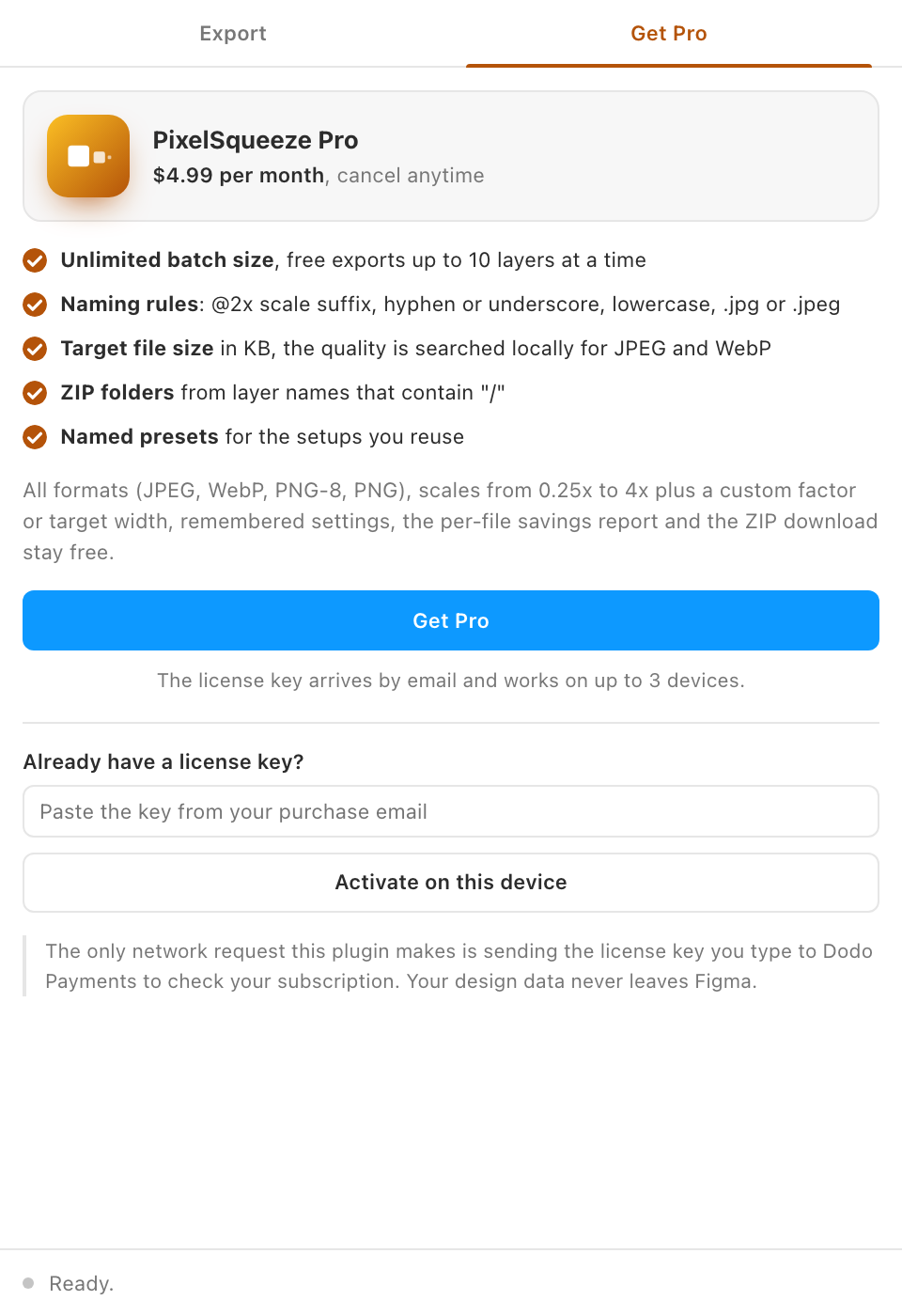
Each plugin is licensed separately at $4.99 per month (Print Ready is $9.99 per month and has its own manual). A key bought for one plugin unlocks only that plugin. Prices are shown in your local currency at checkout, with taxes added and remitted by the seller of record. See Pricing for what each tier includes.
Buying a license
- Open the plugin and click the Get Pro tab.
- Click Get Pro. Your browser opens a checkout page hosted by Dodo Payments, the merchant of record. There is no account to create.
- Pay. Within seconds, your license key arrives by email from Dodo Payments. Check spam if it has not arrived in a minute.
Activating a device
- Back in the plugin, paste the key into Already have a license key? and click Activate on this device.
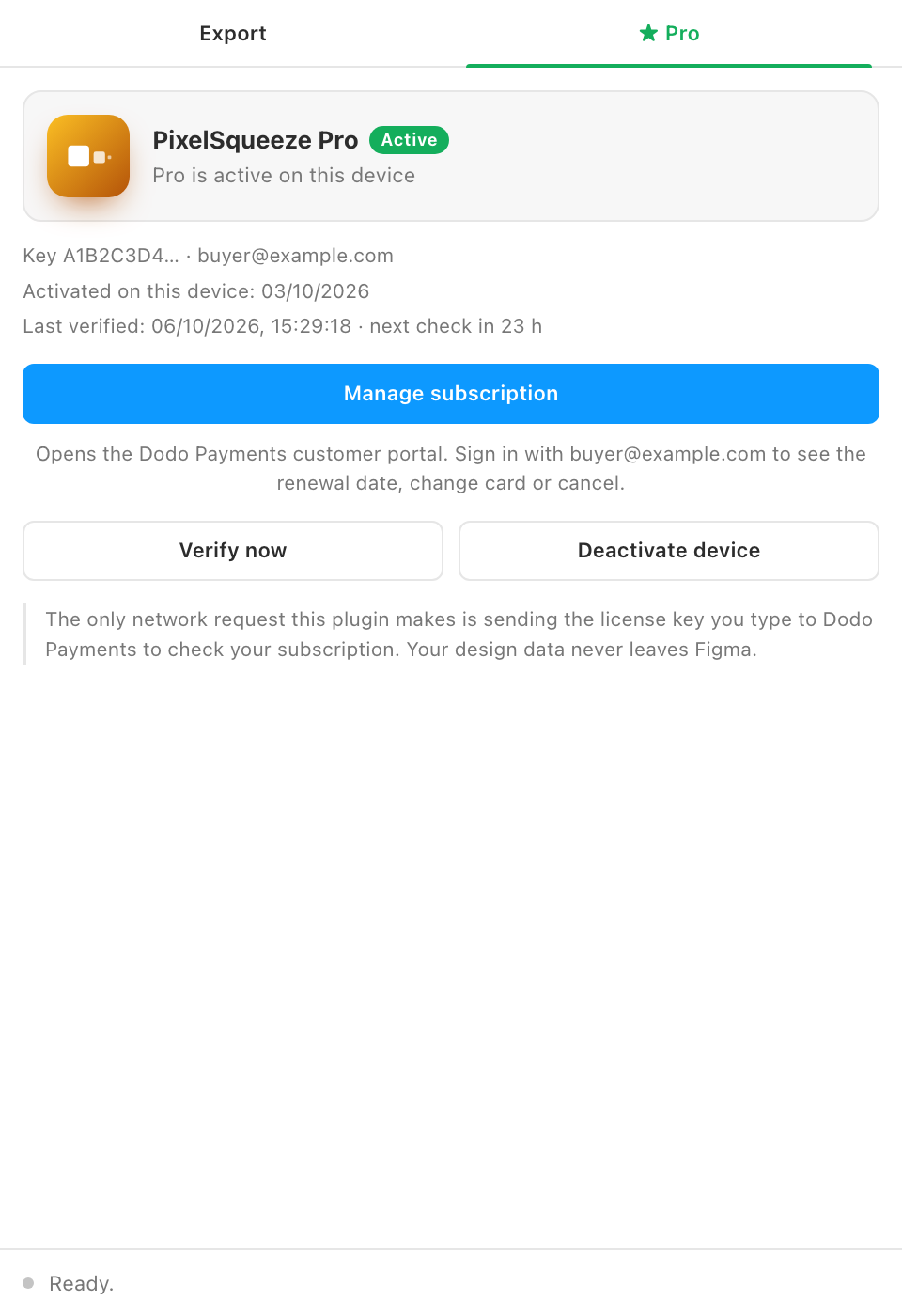
- The tab switches to ★ Pro and the Pro controls unlock immediately.
One key works on up to 3 devices at the same time. Each activation uses one seat.
Moving to a new machine
Open the Pro tab on the old machine and click Deactivate device. That frees a seat, and you can activate on the new machine. If the old machine is gone, open the customer portal (below) and remove the device from there, or email support with your purchase email.
How validation works
The plugin re-checks your key with Dodo Payments about once a day, silently, when you open it. If you are offline the check is skipped and Pro keeps working for a 7-day grace period. The next successful check resets the clock. Only the key and the device id are sent, never any design data; the details are in Privacy and security.
Verify now in the Pro tab forces a check, which is useful right after a renewal payment or when the plugin says the license could not be verified.
Managing or cancelling
Click Manage subscription in the Pro tab. It opens the Dodo Payments customer portal; sign in with the email you used at checkout to see the renewal date, change the card, download invoices or cancel. Cancelling takes effect immediately: the key stops working the same day and you are not charged again. If you cancel within 14 days of a payment, that payment is refunded on request. Your files and settings are untouched. The step-by-step guide is License key, billing and cancelling.
Refunds
If Pro does not do what you expected, email support within 14 days of purchase with your purchase email and you get a full refund.
Activation errors
- Name
License key not found- Type
- error
- Description
The key was mistyped or belongs to a different plugin. Copy it straight from the purchase email, and check which plugin the email names.
- Name
This license key belongs to a different product- Type
- error
- Description
Keys are per plugin. A PixelSqueeze key does not unlock DeckPort.
- Name
Device limit reached- Type
- error
- Description
All 3 seats are in use. Deactivate on another device, or remove one in the customer portal.
- Name
License inactive- Type
- status
- Description
The subscription has lapsed or a renewal payment failed. Update billing through Manage subscription, then click Verify now.
- Name
License not verified recently- Type
- status
- Description
The daily check has not succeeded for a while. Connect to the internet and click Verify now. Pro keeps working for 7 days offline.
- Name
Could not reach the license server- Type
- error
- Description
A network problem during activation, or a corporate proxy blocking live.dodopayments.com. Try another network; the free features work regardless.
Why a license key and not an account
An account would mean a server that stores who you are and what you do. A key means the plugin can stay fully local: your design data never leaves Figma, and if the plugin is ever discontinued the free tier keeps working forever.