
SoftShadow
Realistic shadows are never a single blur. SoftShadow stacks 2 to 8 shadows that grow along a curve, applies them to your layers and gives you the matching CSS. Free to install; Pro is a $5 one-time purchase.
SoftShadow is in final testing and will be on the Figma Community soon. This page documents the first release.
Guides
- Quickstart: install and put your first layered shadow on a layer in two minutes.
- Feature guide: every control explained, and the math behind the layers.
- Pro features: the elevation scale, re-apply, inner shadows, exports and presets.
- Troubleshooting: what to check when a shadow or style does not land.
Free vs Pro
- Name
Free, forever- Type
- no account needed
- Description
The layered shadow generator with the light pad, elevation, softness, 2 to 8 layers, opacity, three layer curves and black, custom or tinted color. Live preview, apply to selection and copy CSS.
- Name
Pro- Type
- $5 one-time
- Description
An elevation scale written as local effect styles ("Elevation/1" and up), re-apply after you tweak the settings, applying a level to the selection, inner shadows, CSS and Tailwind export of the whole scale, and saved presets. No subscription.
What it does
- Layered shadows. Each layer's offset and blur grow along a curve and its opacity shrinks, so the shadow is crisp near the layer and fades out softly.
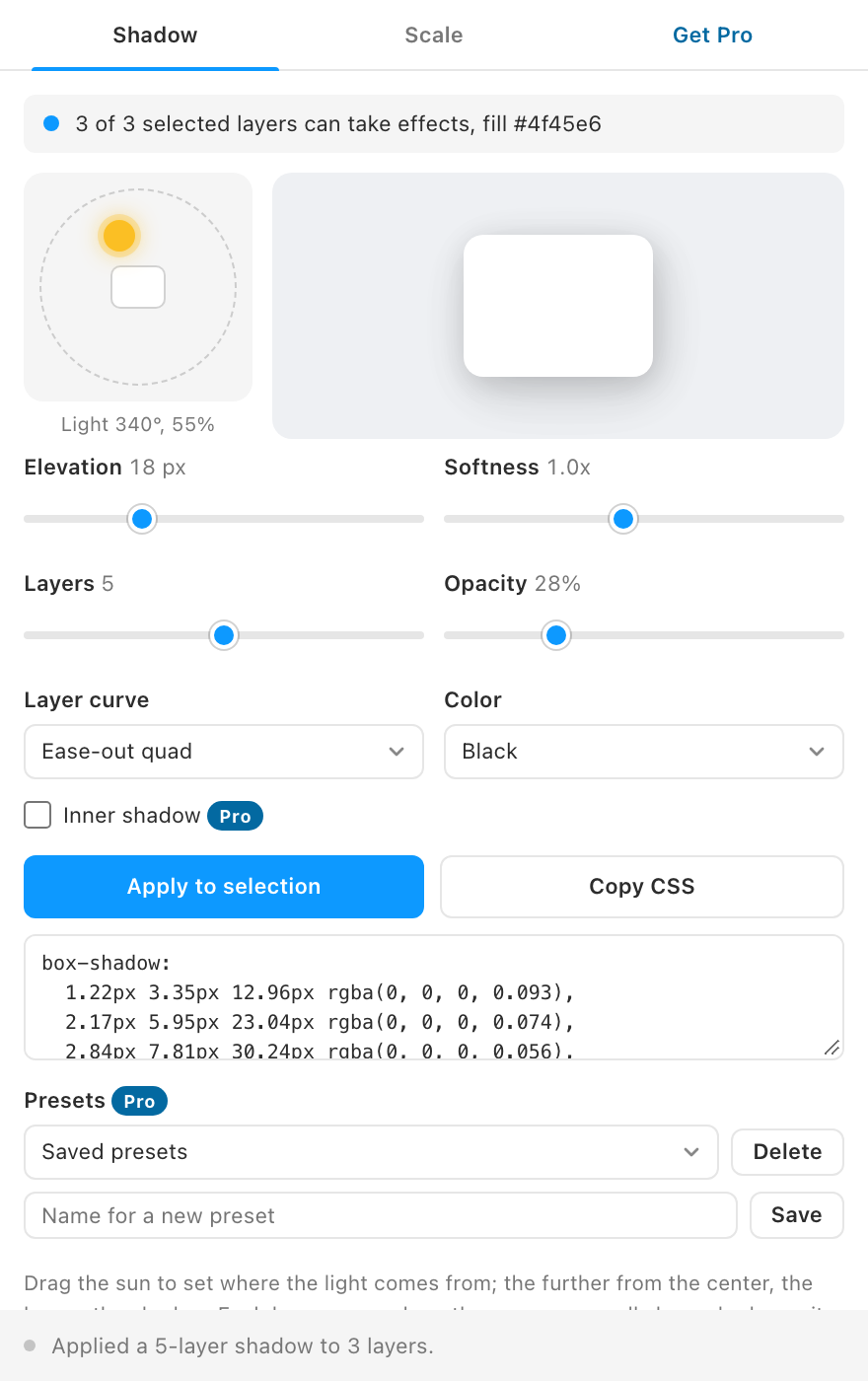
- A light you can drag. Move the sun on the light pad to set where the light comes from; the further it is from the center, the longer the shadow.
- Tinted shadows. Pick black, any color, or a dark tint taken from the selected layer's fill.
- Honest preview. The preview card uses the exact CSS
box-shadowthe plugin copies for you. - Keeps your other effects. Applying replaces the layer's drop shadows and leaves blurs and inner shadows alone.
- Elevation styles (Pro). A whole scale of levels as local effect styles, updated in place every time you run it.
How to use it
- Select the layers that should cast the shadow. The first line of the plugin says how many can take effects.
- Set the light and the shape. Drag the sun, then adjust elevation, softness, layers, opacity, curve and color while you watch the preview.
- Apply or copy. Click Apply to selection for Figma, or Copy CSS for code.
FAQ
Does it change other effects on my layers?
No. Apply removes the layer's existing drop shadows and adds the new stack. Layer blurs, background blurs and inner shadows stay as they are.
Why several shadows instead of one?
A single blurred shadow looks flat. Stacking smaller, darker shadows under larger, lighter ones imitates how real light spreads, which is the look smooth shadow generators are known for.
Does my design leave Figma?
No. Shadows are computed inside the plugin. The only network request is the license key check when you activate Pro.