
PixelSqueeze Pro
Every format and scale is free. Pro is for people who export all day: no batch limit, naming rules that match their pipeline, a file-size budget, folders and presets.
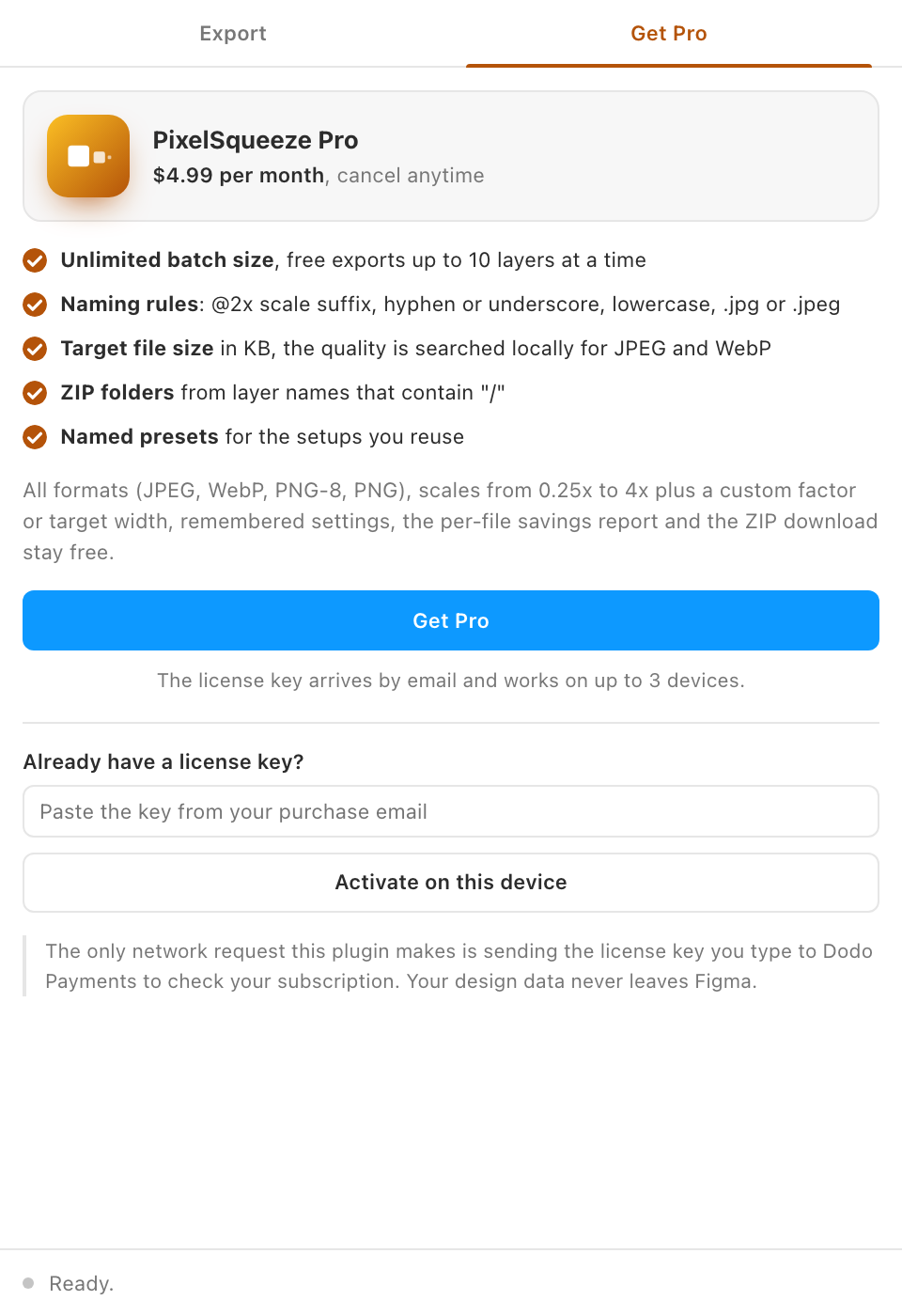
Free vs Pro
- Name
Free, forever- Type
- no account needed
- Description
JPEG, WebP, PNG-8 and PNG; scales 0.25x to 4x, custom factor and target width; settings remembered; the savings report; ZIP download; up to 10 layers per batch.
- Name
Pro- Type
- $4.99 / month
- Description
Unlimited layers per batch; naming rules (scale suffix, separator, lowercase, .jpg or .jpeg); a maximum file size in KB; folders inside the ZIP from "/" in layer names; up to 50 named presets.
How the gate works
Pro controls are labelled with a small Pro pill. Changing one without a license opens the Get Pro tab with a note saying which feature needs Pro, and the control snaps back to its free value. Nothing is exported until you choose a free setting or activate a key. Batches over 10 layers are checked again by the plugin's main thread before any rendering starts.
Activating
Buy from the Get Pro tab, paste the key from the email, click Activate on this device. The key works on up to 3 devices. Everything about keys, renewals, devices and refunds is on the shared Pro and licensing page.