
PixelSqueeze
Batch export from Figma at sizes people can actually ship. Free to install; Pro is $4.99/month.
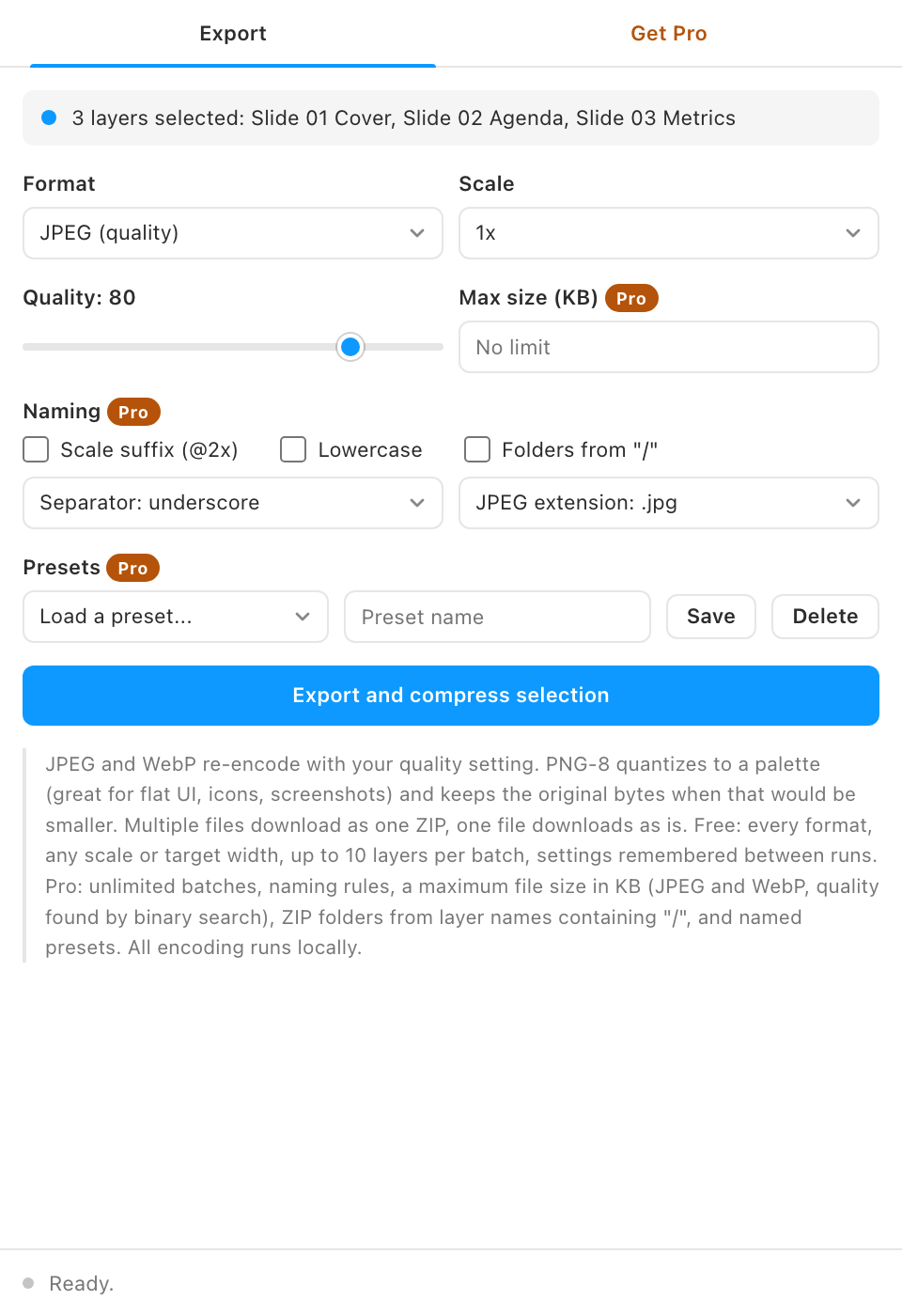
Figma exports are heavy: full-size PNGs with no quality control. PixelSqueeze re-encodes your exports with real compression settings and reports exactly how much you saved.
Free vs Pro
- Name
Free, forever- Type
- no account needed
- Description
JPEG and WebP with a quality slider, the PNG-8 quantizer, original PNG, scales from 0.25x to 4x plus a custom factor or target width, remembered settings, the savings report and the ZIP, for up to 10 layers per batch.
- Name
Pro- Type
- $4.99/month
- Description
Unlimited batch size, naming rules, a target maximum file size, folders in the ZIP from "/" in layer names, and named presets.
Every format is free; the power features for people exporting all day are Pro. Buy from the plugin's Get Pro tab, paste the license key that arrives by email, and the locked features unlock on up to 3 devices. See Pricing for how subscriptions, devices and cancelling work.
What it does
- JPEG and WebP quality control. A real quality slider, not a fixed setting. Photographs at q75 look identical and weigh a fraction.
- PNG-8 quantizer. Median-cut palette reduction with optional Floyd-Steinberg dithering. Flat UI shots shrink dramatically.
- Batch everything. Up to 10 layers free, any number with Pro, exported at 0.25x to 4x or a target width, downloaded as one ZIP.
- Savings report. Before and after sizes per file, with the total percentage saved. Nothing is ever larger than the source.
- Naming rules and presets (Pro). Scale suffix on or off, separator, lowercase, .jpg or .jpeg, folders from "/" in layer names, and named presets.
- Target file size (Pro). Give a maximum in KB and the quality is searched for you.
- Clean filenames. Layer names become safe filenames automatically.
How to use it
- Pick a format. JPEG for photos, WebP for the web, PNG-8 for flat interfaces and icons, plain PNG for lossless with alpha.
- Set quality or colors. JPEG and WebP take a 1 to 100 quality value; PNG-8 takes a palette size from 16 to 256 colors plus dithering.
- Export. One file downloads directly; multiple files arrive as a single ZIP with a savings row per image.
Guides
- Quickstart: install and get your first result in two minutes.
- Feature guide: every control explained, and the rules the plugin follows.
- Pro features: what Pro unlocks and how the gate works.
- Troubleshooting: what to check when a result looks wrong.
Install
Figma desktop app
> Plugins > Development > Import plugin from manifest...
> select pixel-squeeze/manifest.json
FAQ
Why is there no AVIF?
Browsers can decode AVIF but cannot encode it from a canvas, and doing it locally without native code is not practical. WebP gets you most of the same savings.
Does PNG-8 lose quality?
It reduces to at most 256 colors. On flat design work the difference is invisible; on photographs use JPEG or WebP instead.