
Favicon Forge quickstart
From one selected layer to a ZIP you can drop into your site root. Everything in this guide is free.
Favicon Forge has no network access at all. Its manifest forbids network requests and Figma enforces that, so your artwork never leaves your computer.
Install the plugin
- Open Favicon Forge on the Figma Community and click Install.
- Open any Figma or FigJam file.
- Run it from Plugins → Favicon Forge, or press Cmd/Ctrl + / and type "Favicon".
Make your package
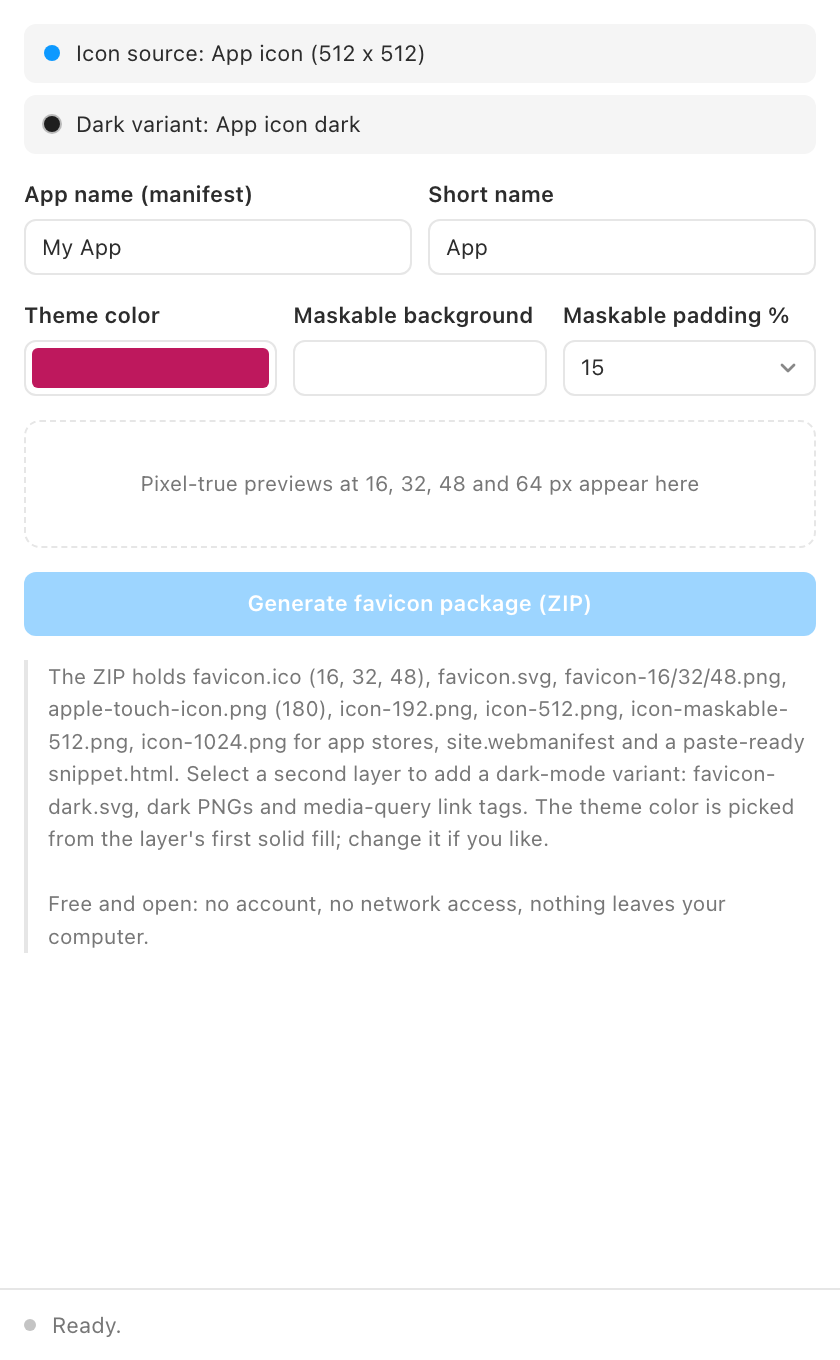
- Select the icon. One layer or frame, ideally square and with bold shapes. The first line in the plugin shows what it will use and its size.
- Optional: select a second layer for dark mode. Hold Shift and click the dark version of your icon. The plugin shows "Dark variant: name" and adds a dark set to the package.
- Check the previews. The row shows your icon at 16, 32, 48 and 64 px, exactly as a browser renders it, and a browser-tab mockup in light and dark.
- Fill in the details. App name and short name go into the web manifest. The theme color is picked from your layer's first solid fill; change it if you like. Set the maskable background and padding (15 percent suits most marks).
- Click Generate favicon package (ZIP).
What is in the ZIP
| File | Purpose |
|---|---|
favicon.ico | Real multi-size ICO with 16, 32 and 48 px entries and alpha, for legacy browsers and Windows |
favicon.svg | Your layer as SVG, the primary icon for modern browsers |
favicon-16.png, favicon-32.png, favicon-48.png | PNG fallbacks at the classic sizes |
apple-touch-icon.png | 180 px icon for iOS home screens |
icon-192.png, icon-512.png | PWA icons referenced by the manifest |
icon-maskable-512.png | Padded, background-filled icon that survives Android's circular masks |
icon-1024.png | App store size, for when the same mark ships as an app |
site.webmanifest | Name, short name, colors and icon entries, ready to serve |
snippet.html | The link and meta tags to paste into your page head |
favicon-dark.svg, icon-192-dark.png, icon-512-dark.png, apple-touch-icon-dark.png | Only with a dark variant selected |
Put it on your site
- Unzip and copy every file into your site root, so they are served from
/favicon.ico,/site.webmanifestand so on. - Open
snippet.htmland paste its tags into the<head>of your pages. The SVG comes first, the ICO is the fallback, and the dark links usemedia="(prefers-color-scheme: dark)". - Reload with the cache cleared. Browsers cache favicons aggressively.